
I keep several Claude Code agents running at once - one per task, so they don’t step on each other’s files. For a while I assumed more agents meant more work getting done in parallel. Then one afternoon the fans wouldn’t stop, everything from Slack to the terminal started lagging, and the machine needed a restart before it would behave again. Running more agents at once had made the laptop unusable, not faster.
The fix was learning where the actual ceiling is on this machine and capping things there on purpose - not a blanket “run fewer agents, always.” On mine that turned out to be 5 concurrent coding agents and 3 workers per test run: numbers specific to this laptop, not a rule anyone else should copy blind.
Cores aren’t slots
My MacBook’s chip is an 11-core M3 Pro: 5 performance cores and 6 efficiency cores, per Apple’s own spec page. It’s tempting to read “11 cores” as “11 things I can run at once for free.” That’s not how it works once the chip gets hot.
macOS has a process called kernel_task whose entire job, per Apple’s support page, is to manage the chip’s temperature by making the CPU less available to whatever is loading it. It doesn’t do useful work itself - it just eats CPU so nothing else can. Push five or six agents plus their test runs at once and you can watch kernel_task in Activity Monitor climb past 300% while everything else slows to a crawl. That’s the chip protecting itself, and it kicks in earlier than “11 cores” makes you expect.
Test runners assume they own the machine
What actually broke things was two agents running tests at the same time.
Vitest, by default, spawns workers up to “all available parallelism” - on this machine, that’s all 11 cores, for one test run. Playwright defaults to half your logical cores for its own browser workers. Neither tool has any idea another agent is about to do the exact same thing next to it. Two agents running tests at once means each one asks for the whole machine, not half of it split neatly in two.
That’s the real multiplier. The bottleneck is the ordinary tooling underneath the agent, each instance defaulting to “assume I’m alone here.”
One thing no setting fixes
Some of the slowdown isn’t tuning-related at all. Claude Code has a documented, still-real memory leak - one public report shows a session’s heap growing to 93 GB before someone killed it. There’s no config flag that prevents this. The only reported fix is restarting the session once things start dragging. I’ve had to do that mid-task more than once. It’s a real cost of running this workflow today, not a hypothetical one.
What I actually cap things at
Here’s where I landed, after enough of these afternoons: 5 concurrent Claude Code agents, and VITEST_MAX_WORKERS=3 so a single test run doesn’t try to claim every core on its own - the gap between those two numbers is the chart below.
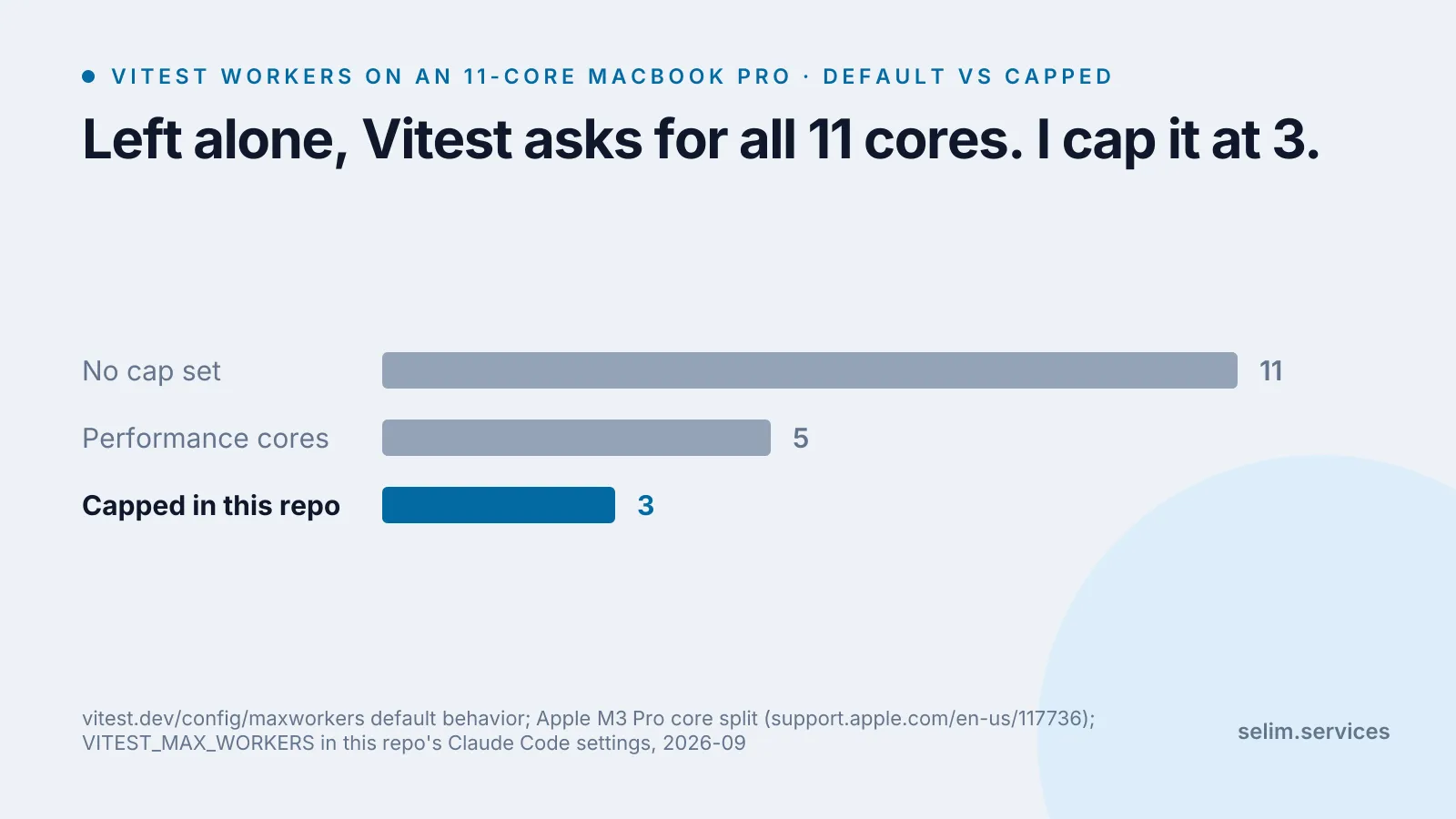
The cost: this leaves real CPU sitting idle most of the time, and a big test suite takes longer to finish than it technically could. I’ve decided that’s a better trade than a machine that needs a hard restart. If you have more performance cores, or fewer things running alongside your agents, your number will be different. What matters is that your specific machine has a real ceiling, and it’s worth finding deliberately instead of by crash.
If you’re setting up a similar multi-agent workflow, the tools I actually keep in that setup are in the MCP servers post. And if “the default assumed it owned the whole machine” sounds familiar from a different angle, it’s the same failure mode I found measuring why ordinary websites feel slow - a tool built for the common case, run in a situation it wasn’t sized for.
Capping cores and workers is the resource half of running several agents at once. There’s a separate, sharper failure in the correctness half: one agent’s routine commit can silently absorb another agent’s unfinished file if they’re both sitting in the same project folder. I reproduced that one and the fix in why I stopped letting AI agents share a working tree.