
It happened while I had two Claude Code sessions open on the same project folder. One was in the middle of a paragraph in a draft. The other was tidying up an unrelated CI config a few files over, finished its own task, staged everything with git add -A, and committed. My unfinished paragraph went in with it. Not because either agent decided to touch the other’s file. Both were doing exactly what they were told. The paragraph was just sitting in the same folder, and “everything” meant everything on disk.
That’s the whole mechanism, and it’s dumber than it sounds. A working tree is just the folder of actual files on your disk, as opposed to the history git keeps of them. git add -A stages the whole working tree, every file with a change, not only the ones a pathspec names.[2] When two processes point at the same folder, they are not two participants sharing a workspace politely. They are two processes editing the same set of files with no idea the other exists. Whichever one commits next commits whatever is sitting there, theirs or not.
Why this is worse with AI agents specifically
A person working alone in a folder does this too, technically. git add -A has always staged everything. What changed is how often I have more than one committer active in the same project at the same time. Running several coding agents in parallel is the whole appeal of the workflow: one drafts, one fixes a bug, one runs a chore, and I check in on each independently instead of doing them one after another. That parallelism is also exactly the condition this failure needs. One session, one folder, is safe by default. Two or more sessions, one folder, is not, and nothing about running an agent instead of typing the commands yourself changes that.
I reproduced it
Not on a real project. In a throwaway repo, so the mechanism is visible without anything else going on.
Two tracked files, one commit:
article.md
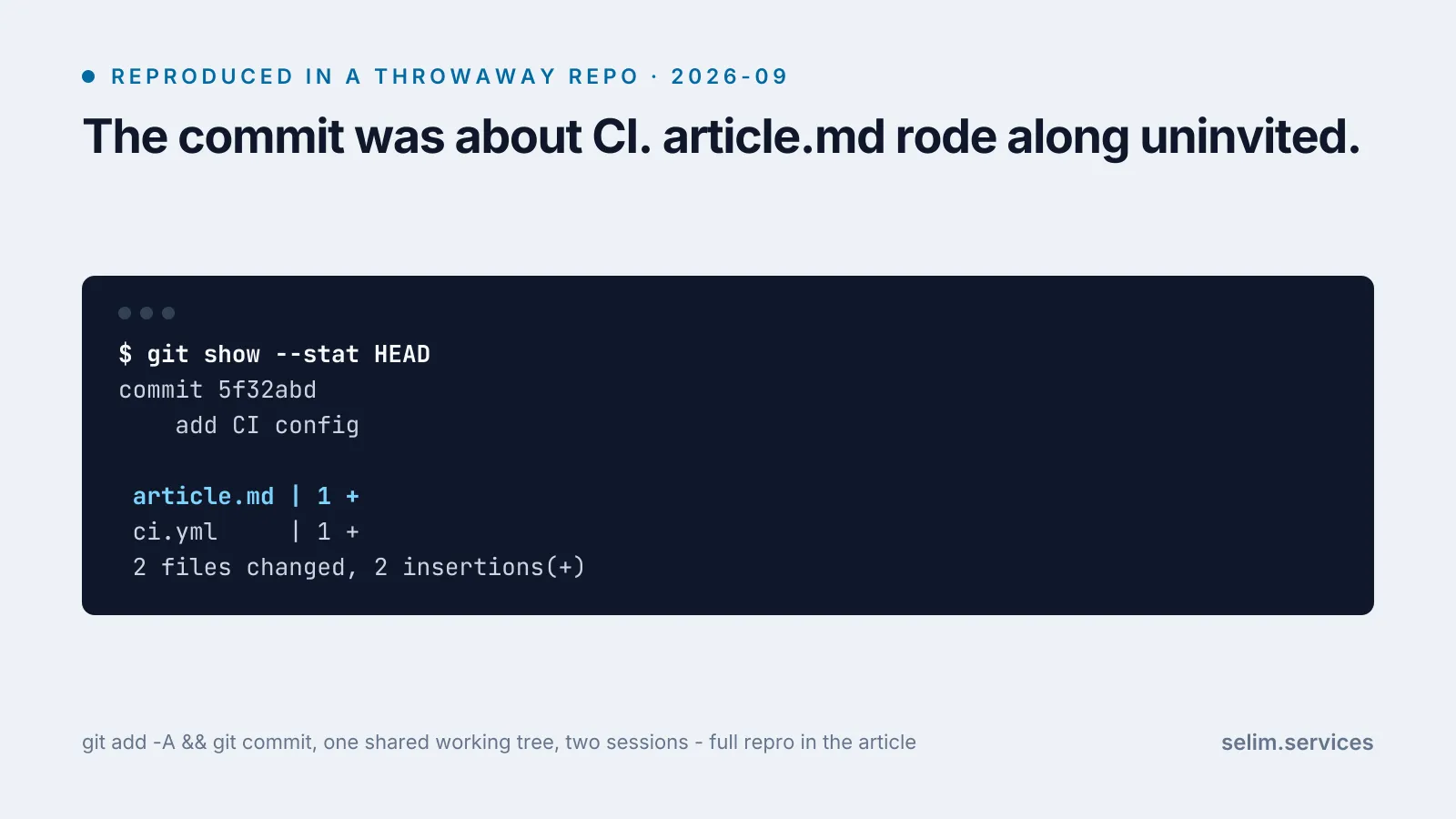
config.ymlSession A edits article.md and does not commit yet, exactly what an in-progress draft looks like. Session B is on something else entirely, adds a new ci.yml, and commits with a broad git add -A because that is the habit most of these tools default to:
$ git add -A
$ git commit -m "add CI config"
$ git show --stat HEAD
commit 5f32abd
    add CI config

 article.md | 1 +
 ci.yml     | 1 +
2 files changed, 2 insertions(+)A commit whose message says “add CI config” now contains a change to article.md, a file it never meant to touch. Session A’s edit is not lost, it is committed, folded into a commit with a message that has nothing to do with it. That is arguably worse than losing it outright: a lost edit is an error you notice. A silently absorbed one looks like nothing went wrong at all.
The fix is not a better commit habit
The instinct is to tell the agent to stage precisely, git add article.md, never -A. That helps and I do it, but it only prevents the sweep. It does nothing about the more basic problem, which is that two sessions are reading and writing one shared set of files at all. Precise staging is a rule an agent has to remember to follow every single time. Not sharing the folder is a structural fix that works even when a rule gets forgotten.
git worktree does that. A repository can have more than one working tree attached to it at once, one per branch, each with its own folder and its own checkout. They all point at the same underlying repository, so a commit made in one is real history the others can see. What they do not share is the actual files on disk.[1]
Same demo, this time with each session in its own worktree instead of the same folder:
$ git worktree add ../session-a -b session-a
$ git worktree add ../session-b -b session-b
$ git worktree list
demo        5f32abd [main]
session-a   5f32abd [session-a]
session-b 5f32abd [session-b]Session A edits article.md inside its own worktree, uncommitted, same as before. Session B, in its own separate folder, edits only config.yml and commits with the same broad git add -A:
$ git add -A
$ git commit -m "tune server config"
$ git show --stat HEAD
commit 02f42ee
    tune server config

 config.yml | 1 +
1 file changed, 1 insertion(+)One file. Session A’s edit was never on disk in session B’s folder to begin with, so there was nothing for -A to sweep up. Checking session A’s worktree afterward, the uncommitted change to article.md is still sitting there, untouched, waiting for that session to finish its own paragraph on its own schedule.
What worktrees don’t fix
They fix the shared-files problem specifically. They do not turn one machine into several.
A fresh worktree is a bare checkout: no installed dependencies, none of the ignored local files the main folder has accumulated, nothing running. The first thing any of my sessions does in a new worktree is a full dependency install, which costs real time and disk before it does anything useful. And anything that lives outside the files themselves is still shared across every worktree, because it is shared across the machine: one dev server can bind a given port, one process can hold a lock on a build’s output folder, one database is one database no matter how many checkouts point at code that talks to it. Two agents can safely edit different files in different worktrees and still collide the moment both try to start a server on the same port. Isolating the files was the first problem. It was not the only one.
What I actually do now
One worktree per session, created before the first edit, never reused across tasks. Staging stays explicit either way, git add <path>, never a bare -A or .: worktrees remove the failure this article is about, not every failure a broad add can cause inside a single worktree. And before starting a new session I check what else is already running against the same repository, because the port and the build folder are still one each, however many working trees are pointed at the code.
None of this is a framework or a tool I installed. It is a folder-per-task habit that costs one extra command up front and one slower first install per worktree, in exchange for not finding out later that a commit ate work it was never supposed to touch. The CPU and memory side of running several agents at once, the part where more parallelism made the whole machine slower before I capped it, is a related but separate failure I measured in why running more AI agents at once made my laptop slower. That one is about the machine running out of room. This one is about two sessions quietly standing in the same spot.
It is the same lesson I keep relearning about this whole setup: the failure is rarely the AI part. It is ordinary infrastructure, built with one actor in mind, now running with several. The server move I wrote up in why I moved my site off Cloudflare was the same shape from the other direction: a single point that used to sit near every reader stopped being able to, once the conditions around it changed.