
If you open this page from most of Russia today, it loads. Open it in June, on a lot of networks there, and it would have stalled on a blank screen and eventually given up. Nothing was wrong with the page. It was sitting behind Cloudflare, and Cloudflare has been throttled across Russian networks since the middle of 2025.
So I moved it. selim.services is now a set of static files on one rented server in Helsinki, served by Caddy, with Cloudflare kept on only for the domain lookup and told to stay out of the traffic. Readers on the affected networks can reach it again. The cost is real, and I will come back to it. I gave up a global cache that used to sit close to every reader, and I took on a server that is now mine to keep running.
What Cloudflare was doing for me
When a site is “on Cloudflare”, Cloudflare’s own machines sit between the reader and the site’s files. A reader in Sao Paulo connects to a Cloudflare machine in or near Sao Paulo, not to wherever the real server is. That nearby machine has usually already got a copy of the page and hands it straight back. That is most of why a site on Cloudflare feels fast. The request travels a short distance, and the slow part, the back-and-forth to set up a connection, happens over that short distance. I measured where that time actually goes in why websites feel slow.
The same design is what makes the throttling possible. Because so much of the web routes through Cloudflare, a network operator who wants to degrade a large slice of it at once can target the shape of a Cloudflare connection instead of blocking sites one at a time. Per Cloudflare’s own account, since 9 June 2025 Russian ISPs have been cutting those connections off after the first 16 KB, enough to begin a page and never enough to finish one.[1] It is the ISPs doing it, so Cloudflare cannot turn it off from their side.[1] Every site behind Cloudflare in that region went dim together, mine among them.
I knew the throttling existed when I put the site on Cloudflare Pages in May. What I skipped was the next step. This site has readers on those networks, so putting it there made it unreachable for them. That is the kind of thing that is obvious in a sentence and easy to miss in a deploy config.
What “moving off” actually meant
The site’s files did not change. What changed is the route a request takes to reach them.
The domain lookup, the part that turns selim.services into a number, still runs on Cloudflare. But the record is set to “DNS only”, which Cloudflare draws as a grey cloud rather than an orange one. A grey-cloud record answers the lookup with the server’s real address and then steps out of the way; the connection goes straight to the server and Cloudflare never sees the traffic.[2]
You can see the difference from a terminal. dig asks what address a name resolves to. Here is this site next to Cloudflare’s own blog, which is, naturally, on Cloudflare:
dig +short selim.services
dig +short blog.cloudflare.com157.180.80.202
104.18.28.7
104.18.29.7One plain address, pointing at a Hetzner server in Helsinki.[4] The other resolves to a pair of Cloudflare addresses shared by a large number of sites, and the reader’s traffic goes to whichever Cloudflare machine is nearest them. Flipping that switch is the whole move. Same DNS provider, but it hands back the origin now instead of proxying.
On the server, Caddy does the work Cloudflare Pages used to do for nothing. It serves the static files, and it handles HTTPS: it gets the certificate from Let’s Encrypt, renews it before it expires, and redirects plain HTTP to HTTPS, with no cron job or config from me.[3] Deploys are a GitHub Action. A push to master builds the site, copies the built files over with rsync, then requests the live URL and fails the run if it is not a 200. The key that does the copying can only write to the one folder the site lives in. That part is all in the repo.
The part that got worse
One server means there is no longer a cache sitting near anyone. Every reader, wherever they are, now makes the full trip to Helsinki to open a connection.
I measured it from my laptop, which is a long way from Helsinki and from any Cloudflare location close enough to matter. The clearest number is the time to open a TCP connection, one round trip, before any page data moves:
| host | served by | fastest TCP connect |
|---|---|---|
blog.cloudflare.com |
Cloudflare | 51 ms |
www.discord.com |
Cloudflare | 49 ms |
selim.services |
one server, Helsinki | 101 ms |
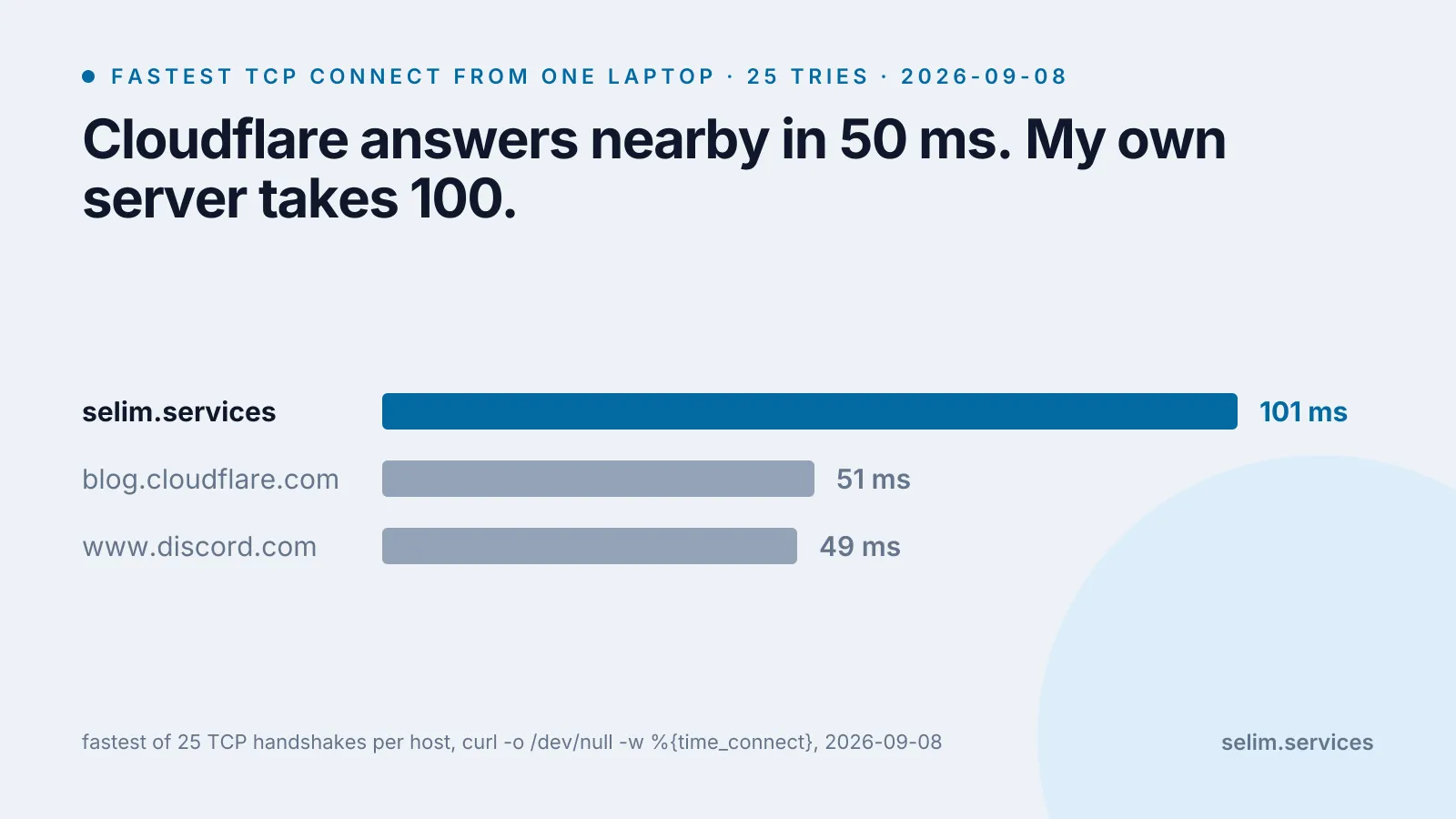
Both Cloudflare sites answer in about 50 milliseconds because something close by is answering. My server takes about 100 because the packet goes to Finland and back. A browser runs that handshake three or four times before the first byte of the page arrives, so the gap adds up. For a reader in Helsinki my server is now the faster one; for most other people, Cloudflare was quietly absorbing a distance that is now the reader’s to pay. The chart below is those three numbers.
The other half of the cost is not about speed. Cloudflare Pages was someone else’s job to keep alive. Now, if the disk fills, or a renewal breaks, or Hetzner has a bad day, the site is down and there is no cached copy anywhere to cover for it. Caddy is dull and the box has held up, but “held up” is a thing I am now responsible for rather than a line on an invoice. And the fix is not even total. At least one Russian mobile network filters foreign server addresses outright, so a reader on it still cannot load a site hosted in Finland by any path. Moving off Cloudflare helped most of the affected readers, not all of them.
Was it worth it
For this site, yes. The alternative was being unreachable for real readers, and a bit more connection latency is a smaller problem than a blank screen. If your readers are all somewhere Cloudflare works normally, doing the same thing would trade a real speed advantage for a maintenance job and get nothing back.
“Is the site up” turned out not to have one answer. It depended on which network the reader was on, and I only found that out by going and checking. When you pick where to host something, speed from your own desk is the easy number to reach for. The one that mattered here was who sits between the reader and the files, and what happens to the reader when that party goes down or gets in the way.
The same server also hands out English and Russian versions of a post from one build; how that pairing works is in adding a Russian locale to an Astro blog.